


PDF Reader - PDF Viewer
4.29.70K Reviews
App Specs
- Version
- 2.0.9
- Updated On
- License
- Free
- Downloads
- 100,000,000+
- Developer
- QR Code Scanner.
- Categories
- Productivity
- Platform
- Android, iOS
Screenshots
 Analysis by AppCompare
I often reach for a PDF app when a document lands on my phone at the least convenient moment: a form to check on the way out, class notes sent in a group chat, or a file I need to pass along before I get back to a computer. PDF Reader - PDF Viewer is aimed at that practical gap between receiving a document and being ready to read or work with it. It is a free productivity app from QR Code Scanner, rated for Everyone, and it has an average rating of 4.4 from around 1.1 million ratings. That kind of reach makes it familiar territory for many users, but what matters day to day is whether the app fits the way you handle documents.
From an incoming file to something readable
My first question with a mobile document app is not whether it has a long feature list; it is whether I can get from a file someone sent me to the page I need without a confusing detour. This app is built around reading and managing PDFs, with DOCX support also part of its purpose. That makes it a plausible place to start when a document arrives through an everyday channel and I want to review it on my phone instead of saving the task for later.
A useful habit is to decide what you need from a document before opening it: a quick read, a few marked passages, or a version to share onward. That small distinction helps avoid treating every file as an editing job. For a long report, I might first skim for the relevant section and only then add highlights or notes. For a short form, I would check the page carefully before handing it off, rather than assuming that a file that opens correctly is already ready to send.
The app’s developer is QR Code Scanner, and its current version is 2.0.0. It supports Android 6.0 and later, which makes it an option for people using older Android devices as well as newer ones. It has passed 100 million installs, though popularity alone cannot tell me whether its editing tools match a particular person’s needs. I see it as a general-purpose document utility to try for routine reading and lightweight work, not a substitute for carefully checking an important file.
Getting Started with Ease
The first thing I noticed when I opened PDF Reader - PDF Viewer was its user-friendly interface. It’s designed in such a way that even if you’re not tech-savvy, you’ll find it super intuitive. The menu is straightforward, and the options are clearly labeled, making navigation a breeze. You can just dive right in without any hassle.
Features That Stand Out
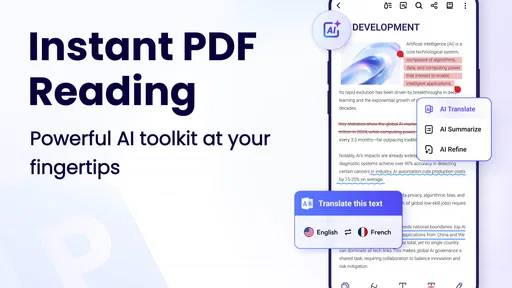
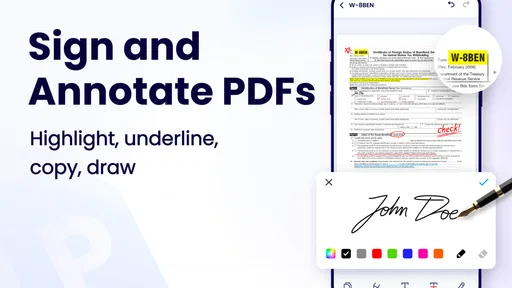
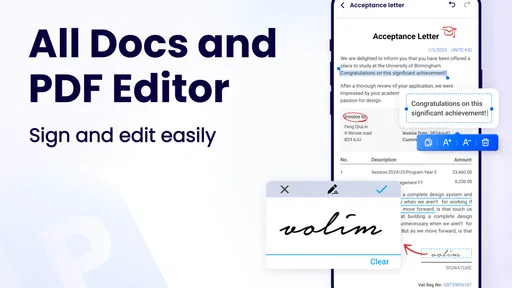
What really sets this app apart are the features it offers. You can do more than just view PDFs. Need to annotate? No problem! The app provides a nifty set of tools to highlight, underline, or add notes. This is perfect for those moments when you need to mark up a document quickly.
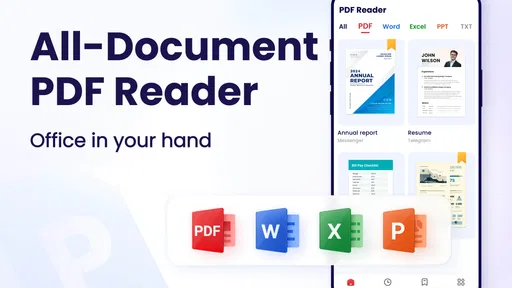
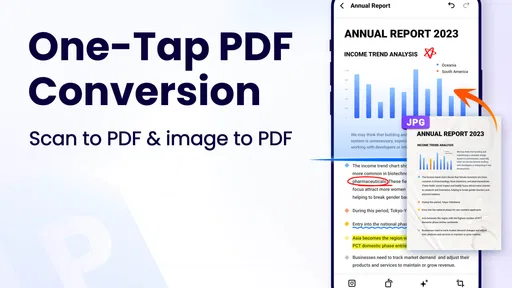
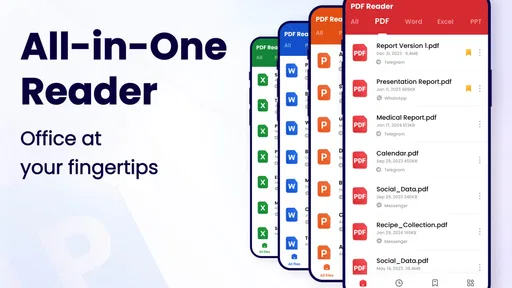
Another cool feature is its ability to handle multiple types of documents. Whether it’s a Word doc, an Excel sheet, or a PowerPoint presentation, this app has got you covered. It seamlessly converts these formats into PDFs, making it a versatile tool for all your document needs.
Worth Reading Before You Choose

Flipboard Shows What News Apps Must Do Beyond the Feed

Switching to Android Auto Means Rethinking Your Driving Routine

Google Calendar Makes a Crowded Week Easier to Manage

Ludo King Makes the Most of the Minutes Between Plans

Baby Panda World Brings Quick Play to Modern Phones, but Its Game Library Feels Busy

ESPN’s Live Game View Makes Following Close Games Easier
Making annotations useful beyond the screen
Annotations work best when they are deliberate. I would use a highlight for a passage I need to find again, an underline for a point I want to compare with another section, and a note when the reminder needs more context than a mark can provide. Keeping those jobs separate makes a marked-up document easier to revisit later, especially when the original file is several pages long.
There is a trade-off, though: a phone is convenient for quick review, but it is not always the easiest place to make precise changes. If a document needs extensive rewriting, detailed layout adjustments, or careful page-by-page quality control, I would move the work to a larger screen and a more specialized editor. On mobile, I would treat annotation as a way to capture thoughts and flag passages, then check the result before relying on it as a polished deliverable.
A practical handoff from reading to sharing
Consider a student who receives a DOCX reading assignment while away from a laptop. The useful workflow is to open it on the phone, identify the sections that matter, mark a few passages, and create a PDF version if that is the format needed for the next step. Before sharing, I would reopen the resulting document and check that the pages are readable and that the marks communicate what I intended. That last inspection is easy to skip when rushing, yet it is the difference between a helpful handoff and a file that leaves the recipient guessing.
The same pattern suits a worker reviewing a policy or a household sorting a form: read first, note only what needs attention, then pass along the document in the form the next person expects. The app is most useful when the task is bounded and the phone is already where the file arrived. For a collaborative project with tracked revisions, comments from several people, or strict formatting requirements, a desktop office suite is usually a better tool because it offers more room and a more controlled editing workflow.
Performance and Reliability
Now, you might be wondering about performance. I’ve tried a few PDF apps in the past, and some can be painfully slow, especially with larger files. But with this app, everything runs smoothly. It opens hefty files in no time, and there’s no lag when scrolling through pages. It’s like having a high-speed PDF processor right in your pocket!
Plus, it doesn’t drain your battery. You can have it open for hours while you work or study, and it won’t leave you scrambling for your charger.
Where a phone-based document flow can snag
Even when reading feels straightforward, the surrounding workflow can create friction. A file may arrive in a format that is awkward to review on a small screen, or the person receiving it may need an editable document rather than a PDF. Converting a file can make it easier to distribute consistently, but conversion and editing are different tasks: a PDF is convenient for sharing a stable-looking document, while an editable source file is usually better when someone must revise its contents.
I would also avoid using mobile annotations as the only record of a critical review unless I had checked that the final file preserves the marks and notes as expected. That is a sensible habit with any document tool, not a special warning about this one. For confidential or legally important material, I would follow the handling rules required by the organization or sender instead of assuming that a general-purpose reader is automatically the right place for it.
Compared with the PDF viewer already included on many phones, this app is appealing when I want a dedicated place to read, annotate, and manage documents, including DOCX files. A basic built-in viewer may be enough for opening a bill or checking a few pages, and it avoids adding another app to the routine. At the other end, a full office suite is the better choice for substantial editing and collaboration. This reader makes most sense between those options: more useful than a bare viewer for quick document work, but not a replacement for a complete desktop workflow.
Who will get the most from it?
I would recommend trying it if you regularly receive PDFs or DOCX files on an Android phone and mainly need to read, mark up, or turn documents into a shareable PDF. Students can use it to flag passages for later study; people handling paperwork can review a form before sending it onward; and anyone who needs to inspect a work document away from a computer can use the phone as a convenient first stop. Its Everyone content rating also makes it broadly suitable from an age-classification perspective, though a parent or school should still decide what apps fit their own device rules.
I would skip it if your main need is advanced PDF production, detailed page design, team review controls, or dependable editing of complex Office files. In those cases, a dedicated office or PDF editor on a computer is likely to offer a better workspace. If you only open documents once in a while, your phone’s existing viewer may already do enough. The choice depends less on how many tools an app claims to offer than on whether your usual job is reading and light markup or creating and revising a finished document.
Cost, expectations, and the final check
The app is free to download, with in-app purchases listed from $4.49 to $69.99 per item. I would start by checking whether the basic workflow covers my needs before considering any purchase, and I would read the purchase details shown in the app carefully so I understand what is included. That is especially useful if I only need occasional reading: there is no reason to pay for capabilities I will not use. The large audience and 8.4 thousand reviews offer context, but neither guarantees that every tool or document type will behave exactly as I expect on my device.
My practical routine would be simple: open the incoming file, review it before editing, annotate only the passages that need attention, convert when the recipient needs a PDF, and inspect the final copy before sharing. That extra check catches avoidable misunderstandings and helps keep the source document distinct from the version intended for handoff. If I need extensive changes, I would move the job to a computer rather than trying to force a phone-sized workflow to do everything.
Why You Should Download It
If you’re looking for an app that combines functionality with ease of use, PDF Reader - PDF Viewer is definitely worth checking out. It’s like your personal digital office assistant, ready to help you manage and edit documents whenever you need.
Whether you're a student, a professional, or just someone who loves staying organized, this app is a handy addition to your toolkit. It’s efficient, reliable, and incredibly user-friendly. Trust me, once you start using it, you'll wonder how you ever managed without it!
So, go ahead and give it a try. You can find the download links on our website. Happy PDF-ing!
Pros
- Smooth and intuitive user interface.
- Supports multiple file formats.
- Quick search and annotation tools.
- Offline access to saved documents.
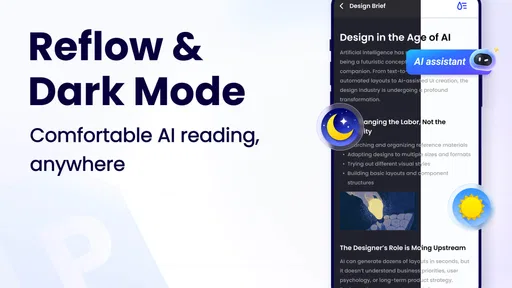
- Customizable reading modes.
Cons
- Contains ads that can be intrusive.
- Limited free version features.
- Occasional slow loading times.
- No cloud storage integration.
- Lacks advanced editing tools.
FAQs for PDF Reader - PDF Viewer
What features does PDF Reader - PDF Viewer offer?
PDF Reader - PDF Viewer provides a comprehensive suite of features including annotation tools, text highlighting, and bookmarking. It supports various file formats like PDF, DOC, and XLS, allowing users to view and manage documents seamlessly. Additionally, it offers easy navigation with a user-friendly interface, making it suitable for both personal and professional use.
Is PDF Reader - PDF Viewer free to use?
PDF Reader - PDF Viewer offers a free version with essential features for basic document viewing and editing. However, it also has a premium version with advanced features like cloud storage integration and enhanced security options. Users can choose based on their needs and upgrade if they require more functionalities.
Can I use PDF Reader - PDF Viewer offline?
Yes, PDF Reader - PDF Viewer can be used offline. You can open, read, and annotate documents without an internet connection. This makes it convenient for users who need access to their files while on the go or in areas with limited connectivity. However, features like cloud syncing require internet access.
Does PDF Reader - PDF Viewer support document security?
Yes, PDF Reader - PDF Viewer offers several security features to protect your documents. Users can set passwords for sensitive files and utilize encryption to ensure data privacy. The premium version may include additional security options like secure sharing and permission settings to enhance document protection.
What platforms is PDF Reader - PDF Viewer available on?
PDF Reader - PDF Viewer is available for both Android and iOS platforms, ensuring compatibility with a wide range of devices. This cross-platform availability allows users to access their documents seamlessly on smartphones and tablets, providing flexibility and convenience for document management on the go.


